Enverson AI is an AI-powered language tutor focused on speaking and real communication, not just exercises. Below you’ll see how Enverson AI works in practice, using screenshots from the app.
We’ll walk through how you start a speaking session, how AI analyzes your mistakes, how it helps you improve fluency and clarity, and how your personalized dashboard tracks progress over time.
Enverson AI in 3 simple steps
- Step 1: Start talking with an AI tutor in realistic conversations.
- Step 2: Get instant feedback on your mistakes and suggestions to improve.
- Step 3: Track your fluency, vocabulary, and accuracy in a personalized dashboard.
1. Start talking from day one
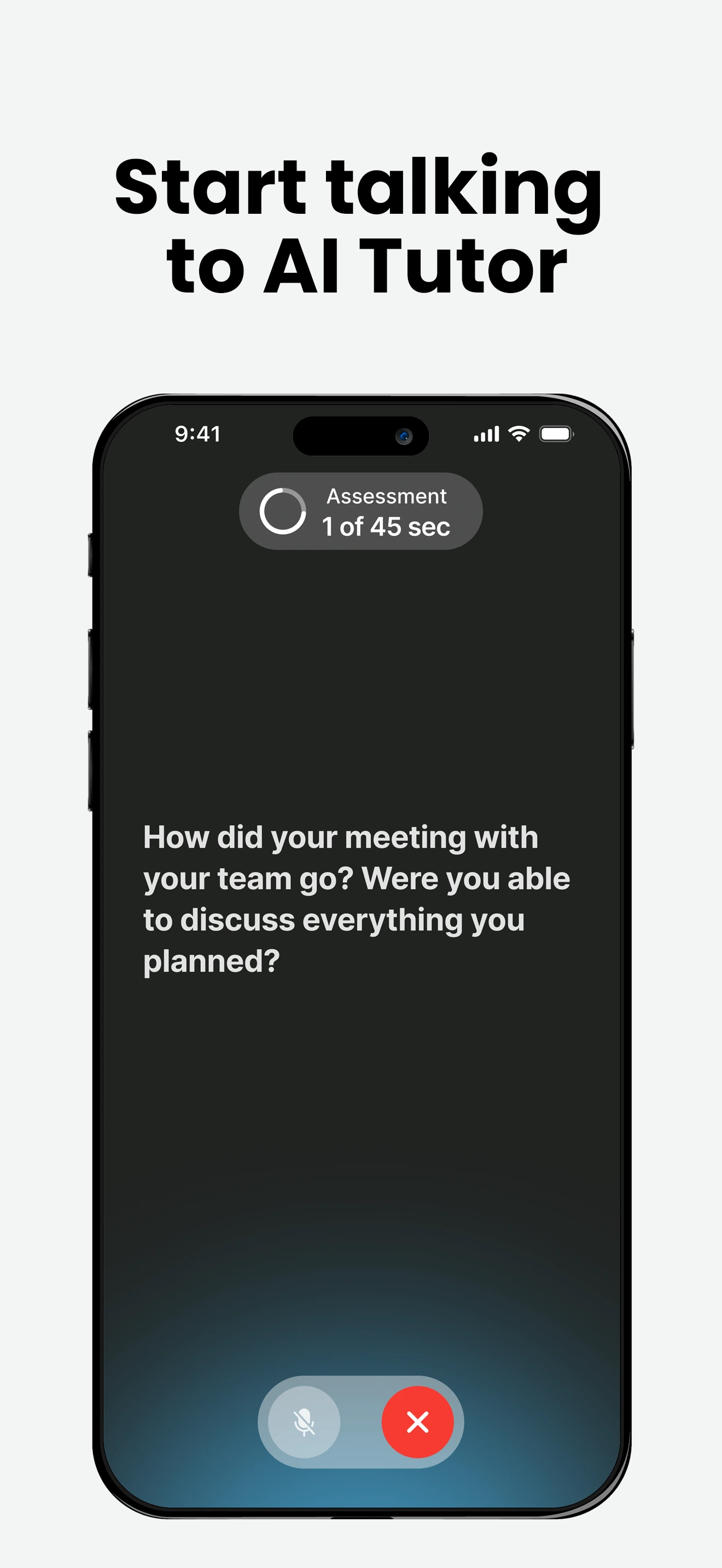
When you open Enverson AI, you choose a scenario (for example: meeting a client, daily conversation, job interview) and start speaking with an AI tutor right away.
The AI asks questions, reacts to your answers, and keeps the conversation going – just like a real person, but available 24/7.
2. See and fix your mistakes instantly
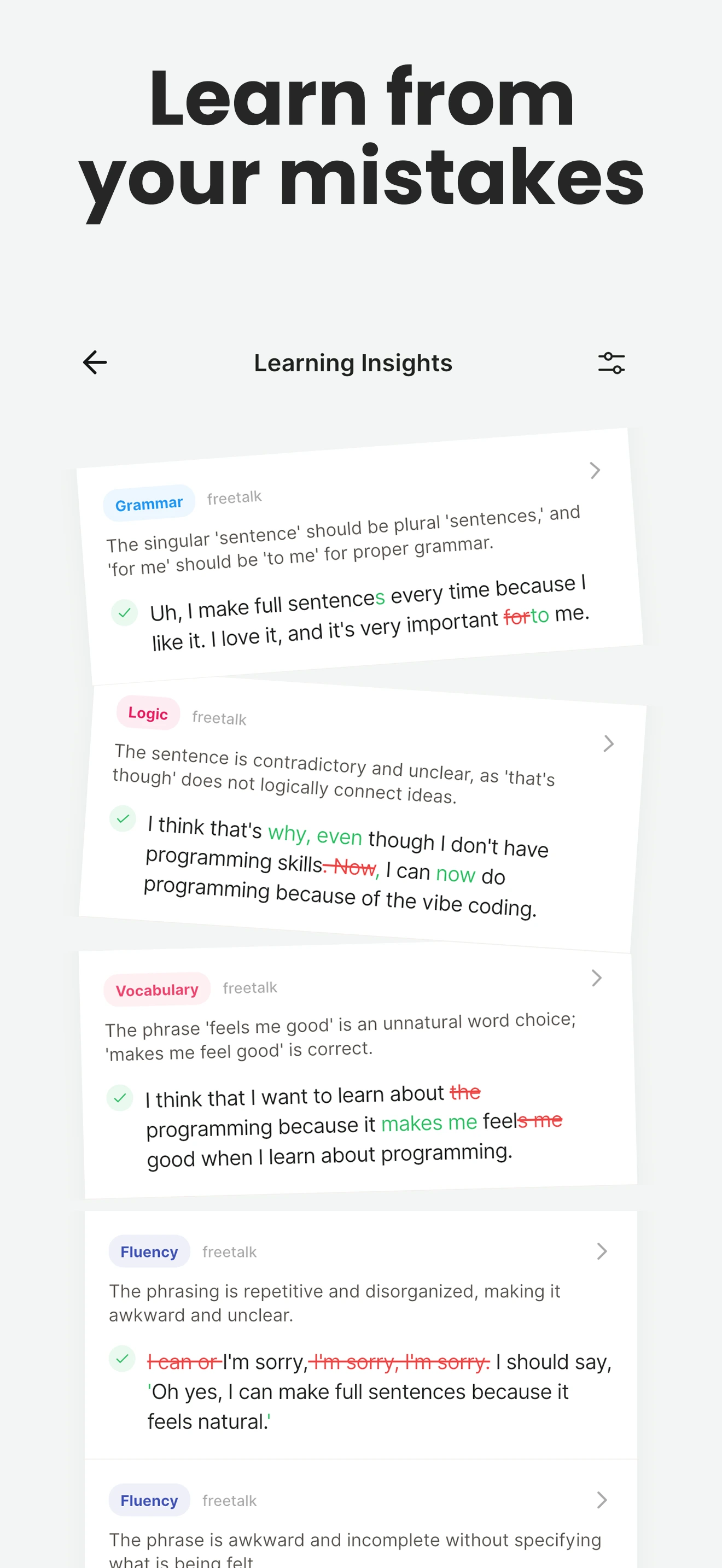
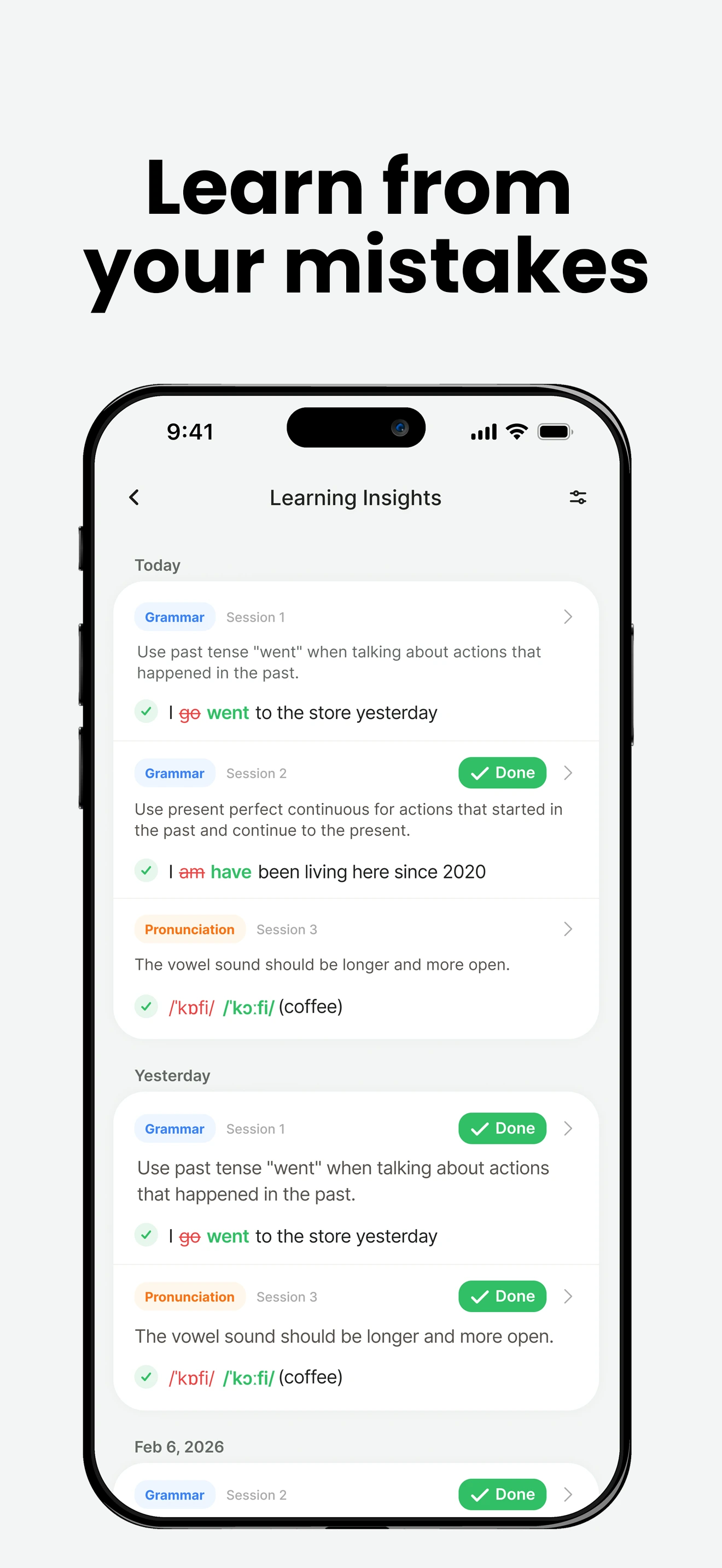
After you speak, Enverson AI analyzes your sentences for grammar, vocabulary, and pronunciation. It highlights mistakes and suggests better ways to say the same thing.
This makes every speaking attempt a learning opportunity: you don’t just guess – you see exactly what to improve.
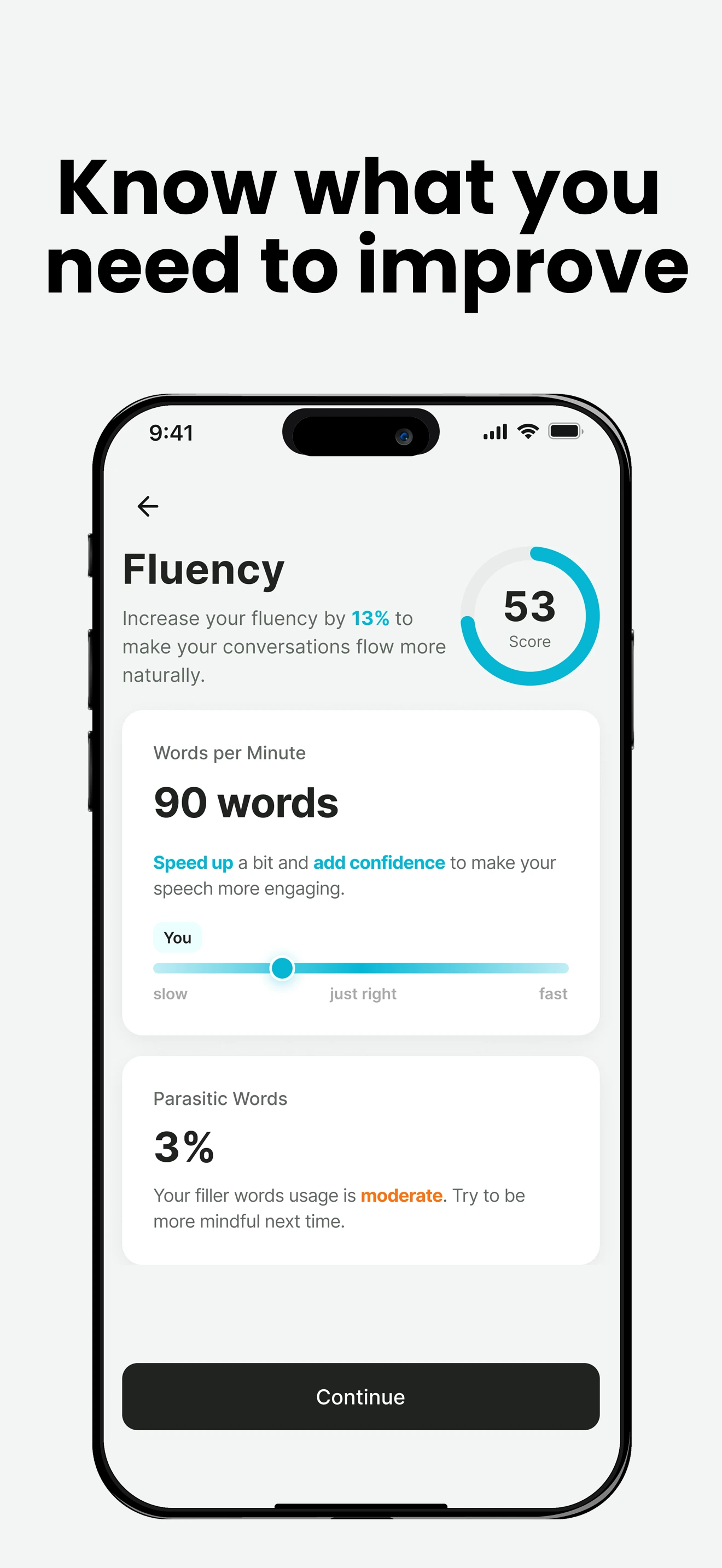
3. Improve fluency and clarity with analytics
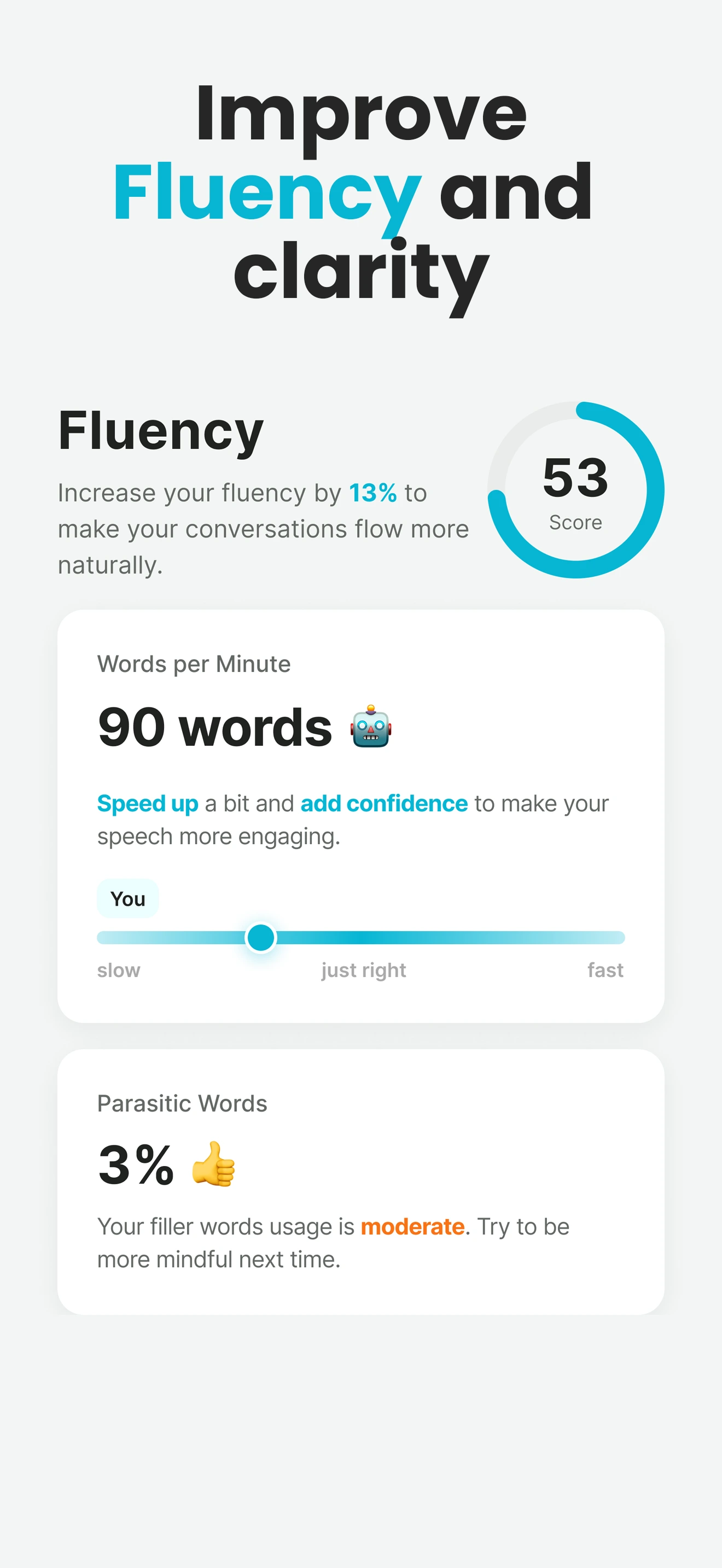
Enverson AI doesn’t stop at corrections. It measures how fast you speak, how clearly you express ideas, and how often you use filler words (“uh”, “um”, “you know”).
These analytics help you focus on what really matters for real conversations: being clear, confident, and natural.
4. Practice real-world situations, not random sentences
Enverson AI includes scenario-based lessons: meetings, interviews, small talk, presentations, travel, and more. Each session feels like a real situation, not a disconnected exercise.
This makes it easier to transfer what you practice in the app to your real life – at work, on calls, or when traveling.
5. Track your progress in a personalized dashboard
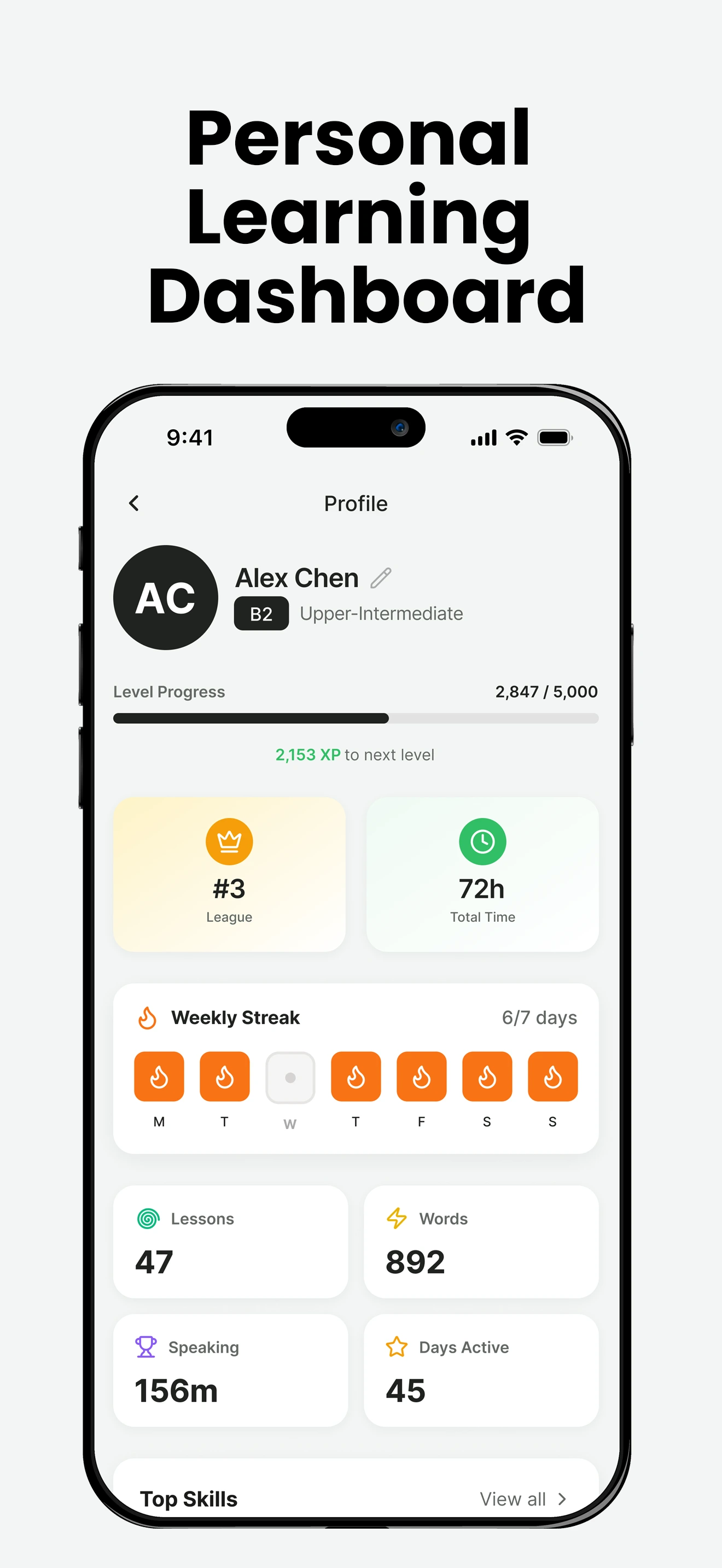
All of your practice feeds into a personalized dashboard that shows:
- Your vocabulary level over time.
- Your fluency and speaking speed trends.
- Your most common mistakes and how they are improving.
This makes Enverson AI feel like a long-term language coach, not just a single lesson app.
Why Enverson AI works better than typical language apps
- Speaking-first: You spend more time talking and less time just tapping options.
- Feedback-focused: Every session gives you concrete corrections and next steps.
- Data-driven: Progress is visible in numbers and charts, not just “feeling” better.
- Real-life oriented: Scenarios match what you actually say at work and in daily life.
Frequently asked questions
How does Enverson AI work?
Enverson AI lets you start a conversation with an AI tutor, get real-time corrections on grammar and pronunciation, and track fluency (e.g. words per minute). Screenshots in this article show each step.
What do I see in the Enverson AI app?
You see conversation screens, correction feedback, and a personalized dashboard with progress (vocabulary level, grammar, fluency). The article includes screenshots of these flows.
Can I try Enverson AI before subscribing?
Check our Prices and Downloads pages for trial and subscription options. The screenshots in this article show what to expect once you start using the app.
Try Enverson AI and see it in action
If you want to experience these features yourself – from instant corrections to personalized dashboards – start a free trial of Enverson AI.
Try Enverson AI Free